
Beginner Python Project Ideas
You finished the syntax tutorials. You know what a loop does, you can write a function, and you understand what a dictionary is for. Then you close the…

You finished the syntax tutorials. You know what a loop does, you can write a function, and you understand what a dictionary is for. Then you close the tutorial and stare at a blank editor, wondering what to actually build.
That gap—between understanding Python and using Python—is where most beginners stall. The fix is not another tutorial. It's a project small enough to finish, real enough to matter, and just hard enough to stretch you.
Here is the simple rule I use when picking a first project: choose something slightly above your comfort zone that you can finish in a few focused sessions. Too easy, and you'll be bored. Too hard, and you'll quit. The sweet spot is a project that uses one concept you haven't fully mastered yet.
The beginner python projects below are grouped by the skill each one builds, not by difficulty labels. That way, you can choose based on what you want to practice next.
Why Projects Beat More Tutorials
Watching someone else write code is like watching someone else lift weights. You understand the motion, but your muscles don't change.
Projects force you to combine concepts you've learned separately. A guessing game makes you use input, conditionals, and loops together. A file-handling project makes you store data and read it back. When your code breaks—and it will break—you'll debug it, and debugging is where real learning happens.
Tutorials give you knowledge. Projects turn that knowledge into skill.
If you haven't built anything yet, complete one small guided project end to end first, then come back here and pick your next build.
Knowledge check
Check your understanding
Answer this question before you continue.
Projects That Practice the Basics
These easy python projects drill the core syntax you'll use in every program you ever write: getting input, making decisions, and repeating actions.
Number guessing game. The program picks a random number, and the player tries to guess it. After each guess, the program says "too high" or "too low." This project practices user input, if statements, loops, and the random module.
Rock-paper-scissors. The player chooses rock, paper, or scissors, and the computer picks one at random using random.choice(). This is a natural next step after a guessing game because it adds more complex conditionals.
Hangman or word guessing. The program picks a secret word, and the player guesses letters one at a time. This project practices strings, loops, and dictionaries for tracking which letters have been guessed.
Unit converter or calculator. Build a tool that converts kilometers to miles, or Celsius to Fahrenheit. This practices functions, user input, and basic arithmetic—and produces something you might actually use.
Each of these projects takes a few hours at most. The goal is not to build something impressive. The goal is to make your fingers comfortable with the mechanics of writing Python.
Knowledge check
Check your understanding
Answer this question before you continue.
Projects That Teach Data and Files
Games are great practice, but most real-world programming involves data: reading it, organizing it, and storing it. These python project ideas build the file and data skills that matter most in actual jobs.
To-do list app. Let the user add tasks, view the list, and mark tasks as done. Then save the tasks to a file so they survive when the program restarts. This project practices lists, loops, and file input/output.
Word frequency counter. Ask the user for a paragraph, split it into words, and count how often each word appears. This practices strings, dictionaries, and basic text processing. It's a miniature version of tools used in search engines and text analysis.
Contact book or flashcard app. Store names and phone numbers—or questions and answers—in a dictionary, then save and load that data from a file. This practices dictionaries plus reading and writing files.
These projects carry more job relevance than games because they mirror what programmers actually do: move data in, organize it, and move it out again. That doesn't mean games are wasted practice. It means data projects teach you the skills employers are looking for.
If you want a guided version of this kind of build, the data project tutorial walks through a complete example using lists, dictionaries, and file handling.
Knowledge check
Check your understanding
Answer this question before you continue.
Projects That Automate Small Tasks
Here is where Python stops being practice and starts doing real work. Automation projects build small tools that save you time—and they're deeply satisfying because the payoff is immediate.
Bulk file renamer. Write a script that walks through a folder and renames every file according to a pattern, like adding a date prefix or converting spaces to underscores. This practices file handling and string methods.
File organizer. Sort files in a download folder into subfolders by type: images in one folder, documents in another, and so on. This reinforces directory traversal and gives you a tool you'll use again.
Password generator. Ask the user how long the password should be, then generate a random mix of letters, numbers, and symbols. This practices loops and the random module, and it produces something genuinely useful.
Automation is the payoff that keeps beginners motivated. The code you write doesn't just teach you something—it does something. After the learning session ends, the script keeps working.
Knowledge check
Check your understanding
Answer this question before you continue.
How to Pick Your Next Project
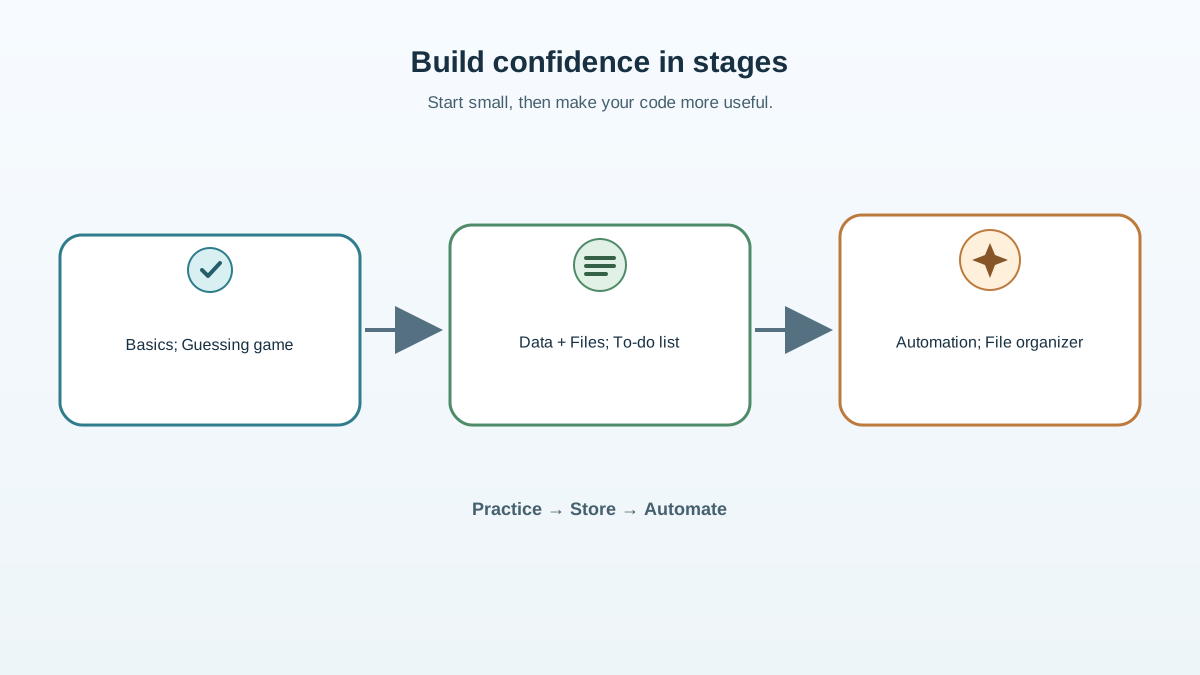
A good progression looks like this: finish one basics project, then one data or file project, then one automation project. By the end, you'll have practiced input and output, data structures, file handling, and string manipulation—the core toolkit of everyday Python.
Beyond that progression, choose projects that genuinely interest you. Sustained motivation beats abstract difficulty ratings every time. If you're curious about passwords, build a password generator. If you want to organize your messy downloads folder, build a file organizer. Interest carries you through the frustrating parts.
One warning: don't jump to graphics-heavy games or web projects before your command-line fundamentals are solid. Pygame and web frameworks are exciting, but they add layers of complexity that will confuse you if you haven't mastered basic input, loops, and file handling. Build the command-line version first. The fancy version will be much easier afterward.
Turning Projects Into a Portfolio
If your goal is a programming job, here's the truth about portfolios: a finished, working project you can talk through beats a long list of half-started ones.
Keep your projects in a folder or a Git repository. Write a short note for each one explaining what it does and what you learned building it. When you interview, you'll be asked about your projects—and being able to explain your design choices and what went wrong is more impressive than any certificate.
A clean, working data or automation project often reads better to employers than a copied game tutorial. It shows you can solve practical problems, which is what they're hiring you to do.
So here's your next step. Pick one project from this article that uses one skill you haven't mastered yet. Start it today. Don't wait until you feel ready—you won't. The first finished project is the foundation of everything that follows.
If you'd rather start with a guided build, work through the simple data project tutorial first. Either way, the goal is the same: stop watching Python and start writing it.
Knowledge check
Final check
Finish the article by checking the ideas you just learned.
References
Want a more structured Python path?
Use the Python Starter Pack to turn scattered tutorials into a focused practice path.
Python for Artificial Intelligence Starter Pack
Build a Python foundation you can actually use. The Python for AI Starter Pack brings together a guided path through setup, core programming concepts, data structures, files, JSON, APIs, debugging, and practical projects—so you can move quickly from running your first program to understanding and building useful software.
- 264-page illustrated PDF
- 12 guided Python chapters
- Visual concept diagrams
- Self-assessment quizzes
- Bonus deep-dive sections
- Files, JSON, APIs, debugging & projects
- Foundation for data, automation & AI
Coming soon


